
 AI-generated illustrative business scene, not an actual client or result.
You draft captions in ChatGPT, make graphics in a design app, send emails from another platform, and schedule posts somewhere else. Yet when someone asks which activity brought a worthwhile inquiry, the answer is unclear. The tools are busy; the marketing system is unfinished.
A focused implementation plan can connect those activities. By the end of this guide, you will have one objective, a small tool stack, three tested workflows, a 30-day action plan, and a simple performance dashboard.
What is an AI marketing strategy?
It is a plan for using AI assistance to support a business goal, with clear responsibilities and measures. Keep three terms separate:
| Term | Meaning |
|---|---|
| Tool | Software used for a task, such as drafting. |
| Workflow | A repeatable sequence from approved input to reviewed output. |
| Strategy | The objective, audience, workflows, responsibilities, budget, and measurement plan. |
What AI should—and should not—do
Consider assistance with organizing research, drafting, repurposing, categorizing questions, or summarizing verified reports. A person still owns the audience decision, factual accuracy, brand voice, sensitive communication, and final approval.
This guide’s plan is an Artsians editorial framework, not a proven intervention or certification. NIST’s voluntary AI Risk Management Framework provides broader guidance for considering trustworthiness when using and evaluating AI. It does not endorse this particular 30-day plan.
Complete a marketing readiness audit
Give one point for each item you can document, rather than merely recognize:
- Current monthly marketing activities and their owner.
- One primary customer segment.
- Your most valuable product or service.
- A working website and usable analytics.
- Known lead sources, including phone or offline inquiries.
- An email or customer database with appropriate permissions.
- Realistic content-production capacity.
- A monthly marketing budget.
- A person responsible for approvals.
- Clear restrictions on confidential or personal information.
| Score | Suggested starting point |
|---|---|
| 0–3 | Build the missing marketing foundations. |
| 4–7 | Test one AI-assisted workflow. |
| 8–10 | Consider several connected workflows after a pilot. |
A high score does not override a serious gap. If you cannot protect customer information or assign an approver, resolve that before using live customer material.
Build the strategy through six decisions
1. Choose one measurable objective
Write the result, period, owner, and definition of success. “Generate 20 qualified inquiries in 30 days” is a target, not a forecast. Define qualified: the requested service, location, timing, and suitability criteria. For an efficiency pilot, measure total production time, including review and corrections.
2. Map the customer journey
Identify what a person needs at awareness, consideration, conversion, and retention. A local service business might use a useful maintenance tip, a clear service page, a request form, and a relevant follow-up. Choose one audience and offer before choosing channels.
3. Identify repetitive tasks
List recurring work and its current duration. Reformatting an approved article into social drafts may suit assistance; deciding whether a customer deserves a refund needs an authorized person. Prioritize a frequent, low-risk task whose output can be checked.
4. Select the minimum viable stack
Cover functions, not subscription quotas: research and planning; drafting; design or video; distribution; email or CRM; reporting. One existing product may cover several functions. Compare permissions, export options, review steps, and total cost before adding software.
Use the detailed AI marketing tools comparison and social media tools guide when a specific function is missing. This plan does not require a particular paid product.
5. Assign review rules
Name who checks facts, brand voice, customer information, licensing, and campaign approval. In a solo business, one person can hold every role. Keep a short approval record and an escalation route for complaints, safety issues, and uncertain claims.
Do not paste identifiable customer messages, payment information, credentials, confidential contracts, or private financial records into an unapproved tool. Start with fictional or aggregated inputs. Check the actual product’s access, retention, and training settings. For example, OpenAI’s business-data commitments apply to specified business products; they are not blanket permission to upload any customer data to any account.
6. Establish a baseline
Record a comparable prior period: inquiries, qualified leads, completed sales, spend, and production time. Use the same definitions throughout. If there is no trustworthy baseline, use the first month to establish one rather than claiming improvement.
The 30-day AI marketing action plan
Keep the scope small enough for the available team. Three workflows are a useful ceiling for this pilot; start with one if setup or review takes longer than expected.
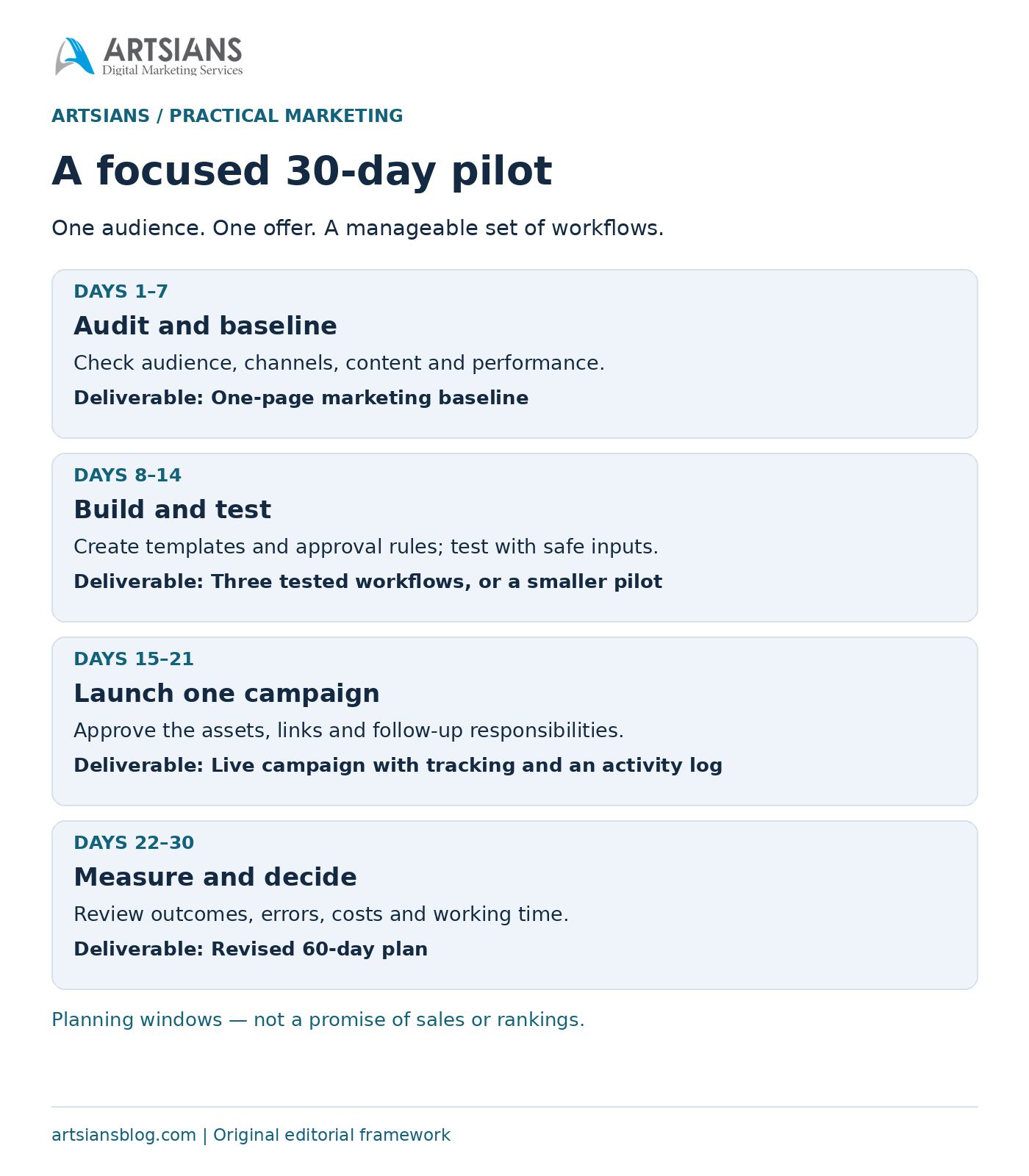
| Period | Work | Deliverable |
|---|---|---|
| Days 1–7 | Audit audience, channels, content, and results. | One-page baseline. |
| Days 8–14 | Build templates and test approval rules. | Three tested workflows, or a smaller workable pilot. |
| Days 15–21 | Run one coordinated, tracked campaign. | Live campaign and activity log. |
| Days 22–30 | Review outcomes, errors, time, and cost. | Revised 60-day plan. |
Days 1–7: audit and baseline
Days 1–2: complete the audit and choose the audience, offer, objective, and owner. Days 3–4: collect a comparable reporting period and map the customer journey. Days 5–7: check the landing page, form, lead log, and campaign labels. Submit a test inquiry and confirm it reaches the right person.
Days 8–14: build and test
Days 8–9: choose tools already available and write a one-page brief. Days 10–11: create draft templates for three workflows. Days 12–14: run fictional or sanitized examples through them, record errors and review time, and simplify anything you cannot reliably approve.
Days 15–21: launch one campaign
Days 15–16: prepare one core message and a small set of channel adaptations. Days 17–18: approve the facts, assets, destinations, and follow-up responsibilities. Days 19–21: publish through normal authorized channels and log inquiries. Pause if links, claims, or routing fail.
Use consistent campaign tags on external promotional links. Google Analytics documents UTM parameters for identifying campaign referrals. Tags do not establish whether a lead is qualified; the lead log must record that separately.
Days 22–30: measure and decide
Days 22–24: reconcile channel reports with actual inquiries and remove duplicates. Days 25–27: examine quality, errors, software costs, and total working time. Days 28–30: decide what to keep, revise, or stop. Write the next 60-day plan around the strongest observed process, allowing more time for slow sales cycles.
Five practical AI marketing workflows
Each workflow needs approved input, a bounded AI task, human review, and a destination. Use only the ones that serve the chosen objective.
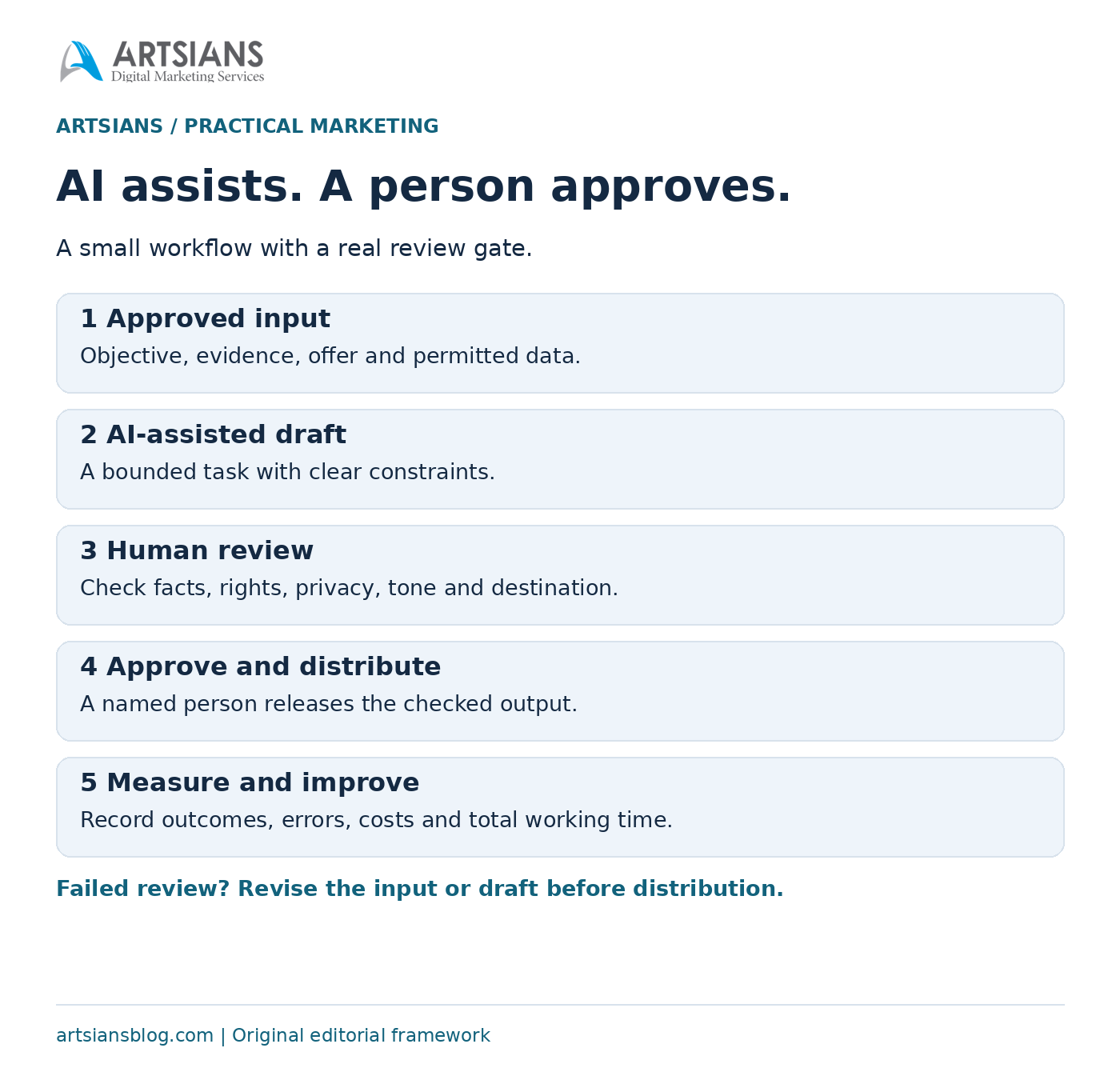
- Blog planning. Input: customer questions and verified sources. AI task: organize an outline and missing questions. Human check: source support, audience fit, and originality. Output: an approved brief, not an automatically published article.
- Social repurposing. Input: one approved article or offer. AI task: draft channel-specific versions. Human check: unchanged facts, useful context, visual rights, and working links. Output: a short publishing queue.
- Lead follow-up preparation. Input: approved service details and a sanitized inquiry summary. AI task: prepare a helpful draft. Human check: recipient, accuracy, permissions, availability, and tone. Output: a reply an authorized person reviews and sends.
- Customer-question categorization. Input: permitted, de-identified questions. AI task: group recurring themes and flag uncertainty. Human check: inspect the grouping and keep sensitive cases out. Output: an FAQ backlog, not unsupported customer profiles.
- Weekly reporting. Input: checked totals with dates and definitions. AI task: calculate comparisons and suggest questions. Human check: recompute figures, inspect missing data, and separate facts from hypotheses. Output: a short decision memo.
For a more detailed drafting process, see how to use ChatGPT for digital marketing. Keep the workflow usable manually before adding integrations.
Worked example: a small home-services company
Entirely hypothetical: this is an arithmetic and planning example, not an Artsians client result or forecast. A local gutter-cleaning business wants 20 qualified inquiries from homeowners inside its service area.
Its previous comparable month had 12 inquiries, six qualified leads, and three booked jobs. The problem is inconsistent messages and missed follow-up. The owner selects drafting, an existing design/scheduling function, a lead spreadsheet, and website analytics. The three workflows are social repurposing, reviewed follow-up drafts, and weekly reporting.
Week one checks the service page and baseline; week two tests the templates; week three launches one seasonal maintenance campaign; week four reconciles outcomes. The illustrative month finishes with 18 inquiries, nine qualified leads, and four booked jobs. The target is missed, so the owner examines where inquiries failed qualification before increasing spend.
| Measure | Example |
|---|---|
| Media spend | $180. |
| Allocated software cost | $30. |
| Media cost per qualified lead | $180 ÷ 9 = $20. |
| Media plus software per qualified lead | $210 ÷ 9 = $23.33. |
| Qualified lead to booked job | 4 ÷ 9 × 100 = 44.4%. |
Bookings are not necessarily paid customers, and these figures do not establish profit. Review labor, delivery costs, cancellations, and collected revenue separately. Production falls from six to 4.5 hours weekly, including review: six hours released across four weeks. Five setup hours leave only one hour of net time released in this first-month illustration. Neither change proves AI caused the results.
Reusable prompt library
Replace the brackets with approved information. These prompts request drafts and analysis; none authorizes publishing or sending.
- Audience evidence: “For [BUSINESS TYPE] serving [TARGET CUSTOMER], organize [AVAILABLE DATA] into needs, objections, and unanswered questions. Separate supplied evidence from assumptions. Do not invent demographics or research.”
- Content calendar: “Using [PRODUCT OR SERVICE], [CAMPAIGN GOAL], [BRAND VOICE], and [AVAILABLE DATA], propose a small calendar for [CHANNELS]. Assign each item a customer question, next action, owner, and required evidence.”
- Blog brief: “Create a brief for [TOPIC] aimed at [TARGET CUSTOMER]. Use only [VERIFIED SOURCES]. Include the central answer, original example needed, outline, and claims requiring review. Flag gaps.”
- Social adaptation: “Adapt [APPROVED CONTENT] for [CHANNEL]. Preserve facts and limitations. Use [BRAND VOICE] and [CAMPAIGN GOAL]. Do not invent endorsements, prices, urgency, or links.”
- Email improvement: “Improve this sanitized draft for clarity and warmth: [DRAFT]. Use [APPROVED OFFER DETAILS]. Do not add commitments. List facts an authorized sender must check before sending.”
- Report analysis: “Analyze [AVAILABLE DATA] for [PERIOD]. Show formulas and denominators. Separate observations, uncertainties, and hypotheses. Identify missing data and three decisions to investigate; do not claim causation.”
Build a simple KPI dashboard
A key performance indicator, or KPI, is the measure most closely tied to the goal. Define its denominator and source before comparing periods.
| Goal | Primary KPI | Supporting measure | Review |
|---|---|---|---|
| Awareness | Relevant-audience reach, if observable | Engagement rate | Weekly |
| Leads | Qualified leads | Cost per qualified lead | Weekly |
| Conversion | Defined conversion rate | Cost per acquisition | Monthly |
| Efficiency | Total production time | Approval revisions | Weekly |
| Retention | Repeat purchases or inquiries | Email engagement | Monthly |
If a platform cannot identify relevant-audience reach, mark it unavailable instead of relabeling total reach as qualified. Keep purchases and repeat inquiries separate. Time released counts as useful capacity only while quality and business outcomes remain acceptable; it is not automatically payroll savings.
Use the Artsians tools library to check calculations and campaign links. Keep spend scope consistent: media-only cost per lead differs from a measure including software and labor.
Common mistakes to avoid
- Overlapping subscriptions: keep a tool only when it fills a distinct need.
- Automating an unclear process: write the steps and approval rule first.
- Publishing unchecked output: verify facts, rights, links, and claims.
- Generic content: add useful business knowledge and a specific reader problem.
- Ignoring privacy: minimize inputs and use approved systems.
- Counting activity as success: connect outputs with outcomes.
- Switching too quickly: investigate failures and allow enough comparable data.
- Outsourcing judgment: keep an accountable decision-maker.
Google’s guidance on generative content emphasizes accuracy and value; generating many pages without useful added value can breach scaled-content policies. Its AI-search guidance retains established SEO foundations rather than requiring special optimization tricks. Neither promises visibility. See the Artsians ChatGPT Search guide for the separate discovery question.
Frequently asked questions
What is an AI marketing strategy?
It is a plan connecting a business objective, audience evidence, selected AI-assisted workflows, human responsibilities, and measurement. A tool list alone does not specify what will happen or who approves it. Start with the customer problem and the result you want, then choose assistance that makes the process more useful or efficient.
How can a small business start using AI in marketing?
Document one recurring task and its current results. Choose a low-risk example, prepare approved inputs, and test a draft before using it in a campaign. Name the reviewer and record review time, corrections, and output quality. Add a second workflow only when the first one can be used reliably within the available team capacity.
How much does an AI marketing system cost?
There is no universal price. List subscriptions, usage charges, media spend, setup time, training, and ongoing review. Begin with tools you already have, then verify current plan limits and local billing before buying. The dollar amounts in this article are assumed budgeting examples, not product prices or a promise that a particular stack will fit them.
Can AI replace a digital marketer?
AI assistance can handle parts of repetitive work, but the business still needs someone accountable for the offer, audience decisions, factual accuracy, sensitive communication, and approval. Whether a role changes depends on the work and organization. Evaluate the process and skill gaps rather than treating a fluent draft as proof that professional judgment is unnecessary.
Which marketing task should be automated first?
Start by assisting a frequent task whose errors are easy to spot, such as adapting approved content into draft posts. Keep approval manual. Avoid making complaints, refunds, safety issues, or financial commitments the first unattended workflow. Test with fictional or sanitized inputs and confirm that failures can be caught before anyone receives or publishes the output.
How do I measure AI marketing performance?
Compare a defined baseline with the pilot using the same period, lead criteria, and denominators. Track qualified leads or completed outcomes alongside costs, total production time, revisions, and errors. Include setup and human review. Record attribution limits and seasonal differences; an improvement after introducing AI is an observation, not sufficient evidence that AI caused it.
Is AI-generated marketing content safe for SEO?
AI involvement alone does not guarantee quality or search visibility. Google emphasizes useful, accurate content and warns about scaled content without added value. Check the output, add relevant original material, and preserve crawlability and established SEO practices. Avoid promising rankings, citations, or special AI-search treatment from a tool, a prompt, or a schema label.
What customer information should not be shared with AI tools?
Do not enter personal identifiers, credentials, payment details, private contracts, or confidential financial material into an unapproved system. Minimize and de-identify inputs wherever possible. Check the product, account settings, permissions, retention, and applicable organizational requirements before using real data. A vendor’s business-data commitment does not replace your responsibility to decide whether a particular disclosure is appropriate.
Start with a process you can trust
Choose one objective and one or two reliable workflows. Keep a human responsible for approval, measure the pilot for 30 days, and expand only when the process shows consistent value. A slower sales cycle may need a longer observation period. Use the related Artsians guides and tools below to fill a specific gap in the plan.
Comments